Turn Markdown study notes into handwritten pages
MyMath Ink guide · Published
Your lecture notes are already typed in Markdown, maths included. Import the file and get handwritten pages back, instead of copying the notes out by hand.
- .md notes with LaTeX maths
- Import a note
- Handwritten pages
- Free
- No account
- Runs in your browser
The .md file
# Thermodynamics, lecture 2

## The first law

Energy is conserved. For a closed system,

$$
\Delta U = Q - W
$$

where $Q$ is heat added and $W$ is work done **by** the system.

## Sign conventions

- $Q > 0$: heat flows into the system
- $W > 0$: the system does work
- $\Delta U = 0$ for a full cycle

## Ideal gas

1. Equation of state: $pV = nRT$
2. Isothermal work: $W = nRT \ln\frac{V_2}{V_1}$The handwritten page
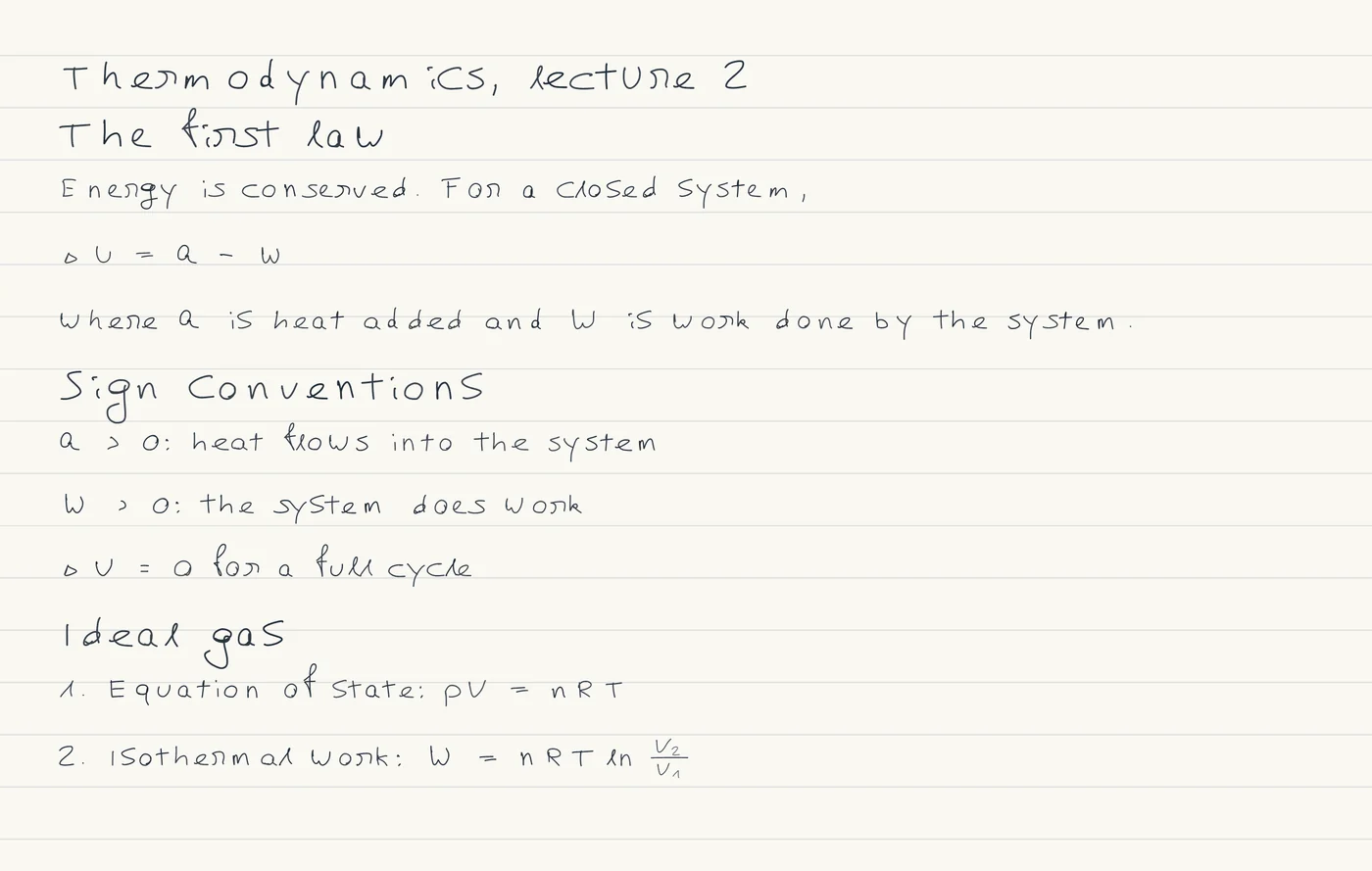
Import the note, don't paste it into the editor
A plain text-to-handwriting tool writes the # marks, asterisks and LaTeX backslashes out as they are. MyMath Ink's importer reads full Markdown and turns it into headings, paragraphs and maths.
Use the importer rather than pasting into the editor. The editor's MyMath source is a small dialect with headings, paragraphs and maths only, so a list typed there stays on the page with its dashes.
A note from Obsidian or another Markdown editor imports the same way: [[links]] keep their text, and callouts become ordinary paragraphs.
How to do it
- Choose File, then Import a note. Open a .md, .txt or .tex file of up to 200 kB, or paste the Markdown into the box.
- Press Replace example, or Add to sheet, which inserts the note after the part holding the cursor. Read as Automatic recognises Markdown; set it to Markdown yourself if it guesses wrong.
- Read the report in the dialog, close it and check the page. Export, then Download PDF, puts every page into one file.
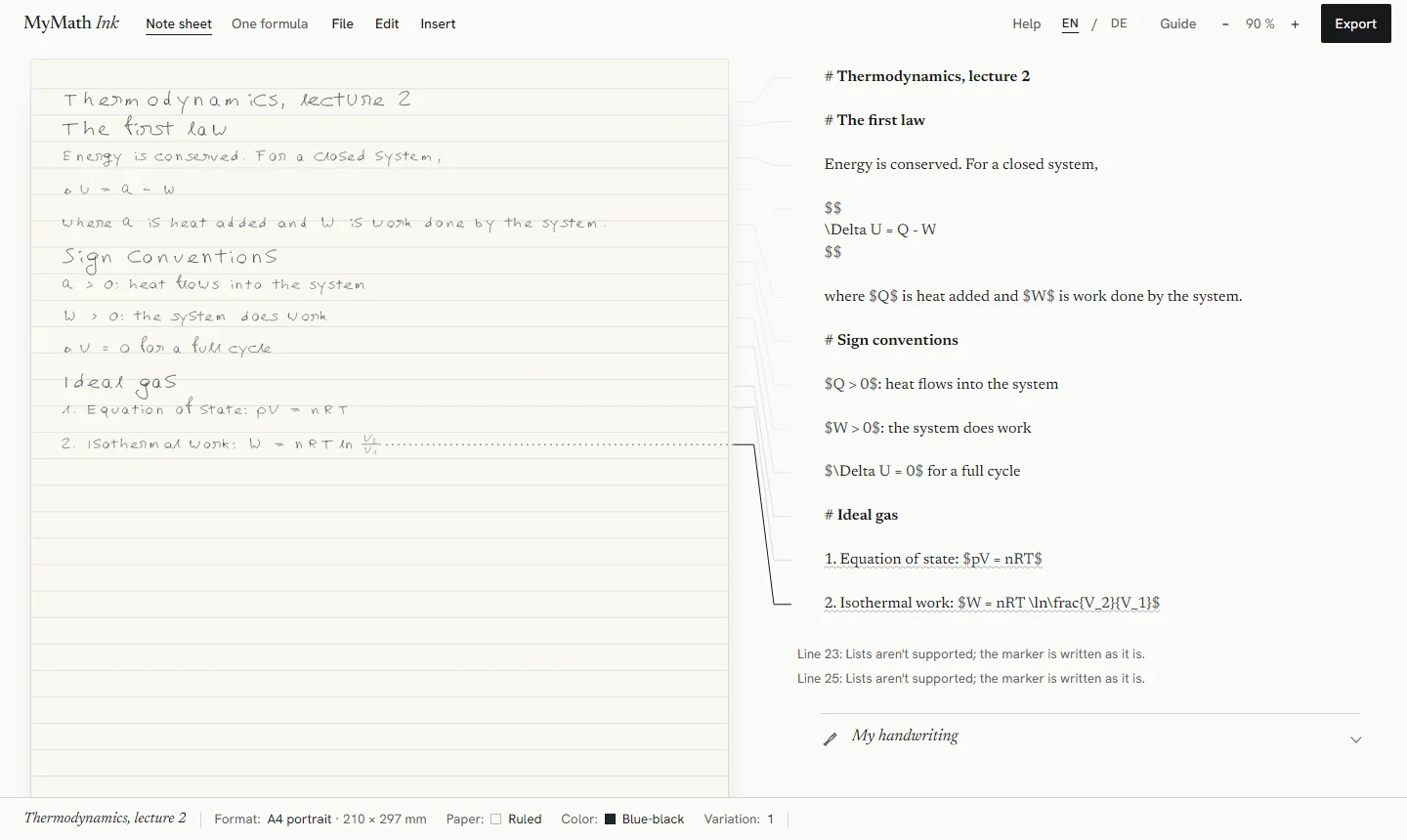
What the import keeps and simplifies
- Headings of every level become headings. A sheet has one heading style.
- Paragraphs stay paragraphs.
- Maths in $…$, $$…$$, \(…\), \[…\] and environments such as align is kept as written.
- Bullet items become separate paragraphs without the bullet. Numbered items keep their number as text.
- Bold, italics and code formatting become plain text. Links keep their text and lose the address.
- Tables become one paragraph per row, footnotes move into the text in brackets, images keep only their alt text, and front matter at the top is left out. The dialog reports these with the line where they first occur.
Limits
- A sheet holds up to 40 pieces of content of up to 600 characters each. A longer note is cut at that point and the dialog says how much was kept, so split a long lecture into several notes.
- Nesting is flattened: sub-lists, quotes and callouts become plain paragraphs.
- Some maths symbols are not in the built-in hand yet and are drawn as outlined boxes; the bar along the foot of the workspace names them.
The missing symbols, and the LaTeX that works, are listed in the LaTeX guide.
Whose handwriting it is
The page is written in a built-in hand. Under Appearance, Handwriting style offers Original, Neat, Technical and Casual; the styles change letters, digits and basic symbols, while Greek letters and maths symbols stay in the original hand.
My handwriting, under the editor, lets you draw characters yourself. Each character you draw replaces the built-in one, and every character you skip keeps the built-in hand, so the page is in your handwriting only as far as you have drawn it. Your characters stay in this browser.
Free, no account, in your browser
MyMath Ink is free and has no account, sign-in or payment. Your note text, formulas, imported files and handwriting are processed in your browser and are not uploaded. Notes are saved in this browser on this device, so keep a backup file of anything that matters.
Loading the website is still an ordinary web request, and anonymous usage is counted without cookies. The details are in the privacy notice.
Try it
The studio opens with a worked example, so you can see the handwriting before you type anything.
Open MyMath Ink